A Vibe Shift
Building a browser extension

Check out the final product on Vercel here!
In the middle of one of my bookshelves, there is a stack of spiral bound planners, one for each of the past five years. There’s the one I grabbed on a whim at a now-closed accessories store, the ones I had custom made from, the ones I loved so much I had it shipped halfway across the world, and now the one that was a thoughtful gift from a mentor.
But as much as I like to hand-write my tasks and plan things out, it’s become too easy to write my planner and stick it in a bag, only to find it a week later and realize I’ve done none of the things I meticulously mapped. It’s easy to open my computer and get distracted scrolling LinkedIN or simply forgetting what I meant to do that day because I’m cleaning out my inbox.
We all have things to do and schedule, which is why there are already a million organization tools at our services. I typically lean towards analog methods, like the aforementioned planners, an attempt at a Lego calendar or an hourly day planner template that I colored in for a visual way of tracking what I do all day, but none of them are really working for someone who frequently changes work location. This is in part because given how digital much of my work is - the physical objects easily can be put away when I feel the pull of the screen.
This is obviously not a new issue. I know there are lots of digital solutions, and I’ve tried many. The phone ones I hate setting up and are a distraction when I go on my laptop to work. The browser ones I frequently forget about. I had seen some fun ones, but none felt exactly right, as I could see myself treating it the same as my planner - set it and forget it, but I liked some of the aesthetics. Inspired by cute plant growing as progress apps like Kinder World, Plant Nanny, buds & others I wanted to have something fun and not as obtrusive, but I needed it to live where I do - on my browser.
So, using Claude Code, I started prototyping. The initial prompt had an idea of the loop:
Create a task that needs to be done
Plant a flower labelled with the task as a reminder
The flower will live on the bottom of your screen, swaying slightly as a non-obtrusive reminder.
Water the flower to show that the task was done
Keep watering for repeated tasks (like job applications)
When finished, pick the flower and it will appear as a vase on the opposite corner
And it…sorta worked. The actual loop was ok, but little refinements needed to be made. The simplicity was nice, but it didn’t look how I envisioned, and it needed more clarity. “What do you want to grow?” made me think I had to type a plant not a task. The brown wasn’t appealing, and I wanted to be able to make more changes. I liked the hide button though.

I wanted to check the progress and define it a bit more. Also, I wanted to water the flowers I was growing.
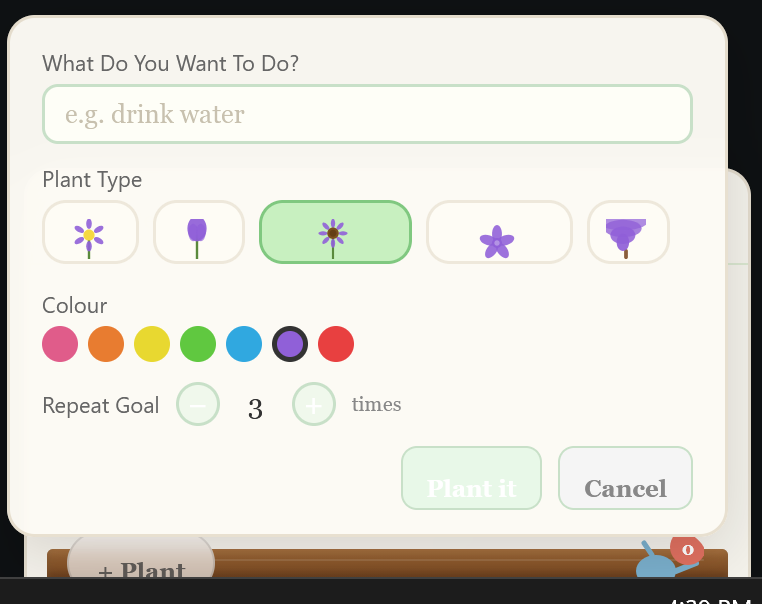
As you can see, parts were hard to read, and parts just didn’t look right (that tree is…a choice), but I liked the overall structure with the ‘what do you want to do’ and getting an example + choosing the plant and number of times to repeat the goal.
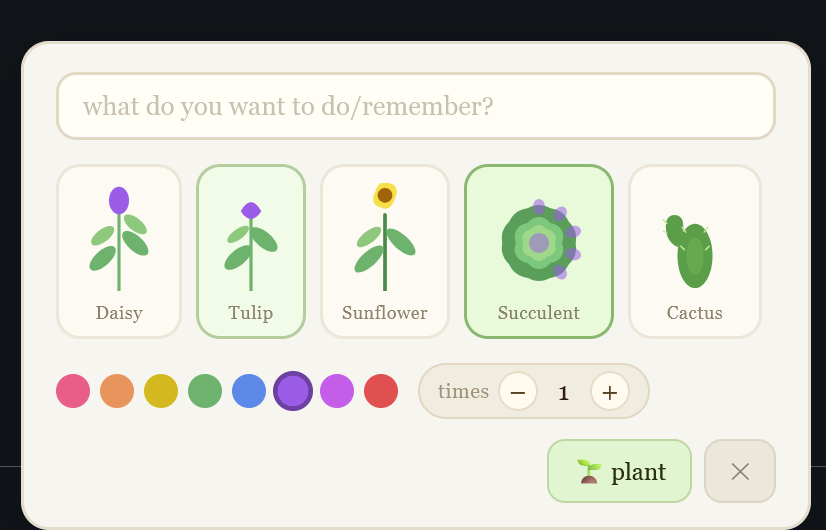
This was a big improvement - more readable and being able to see a bit of the final outcome. The setup was at an okay spot, so now for the actual display.
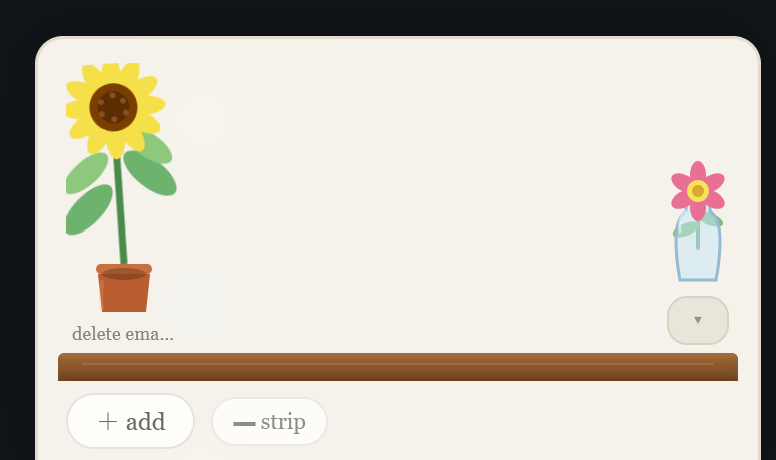
I thought it would be nice to have the image as a window box rather than the entire bottom of the screen, so I made that a toggle-able option. Now came a lot of aesthetic choices, like placing the hide button by the vase (but not having a floating vase), changing the font size, removing cutoffs, changing the watering animation etc. It was at this point that my Claude Code usage tokens were mostly spent, so I went into the code myself. I had Claude make the code full of comments so I could understand what was happening and make edits, so I can learn too instead of just command.
The next version felt much closer to what I envisioned, but I kept wanting to add more features and edge cases. It took a second to really pare down what I was doing to the core interactions, rather than try to keep adding ideas. A testing note here: I made a new profile/browser on Firefox to test my prototypes, so no personal data would be inadvertently shared and there would be fewer distractions

My next prompt was this:
Just tested it again! On the right track for sure, but still has some issues.
1. fully grown flowers/trees are getting cut off on edges (too big for square)
2. The 'hide" arrow in window box mode should be BELOW the brown rectangle, across from garden mode and plant options and still under the vase
3. Watering can looks better but should be a little bigger
4. I can't see the text for each task. Make the flowerpots bigger and have the text in that in garden mode. In window box mode, the flowerpots can be smaller and the text should be above the flower
5. Delete the 'tree' and 'tulip' options
6. If someone tries to plant a flower without a task, the text box should glow to remind them to type something
7. When the vase is clicked, the flowers should jump out and then come back in
8. Flowers in the vase should not be generic flowers they should be the EXACT flowers that were picked
9. For cactus and succulent, a little glass terrarium should appear next to the vase for them and they can go there.
10. A little notepad should be in the bottom corner next to the hide button to see what tasks were made and which ones were completed (these would be crossed out)
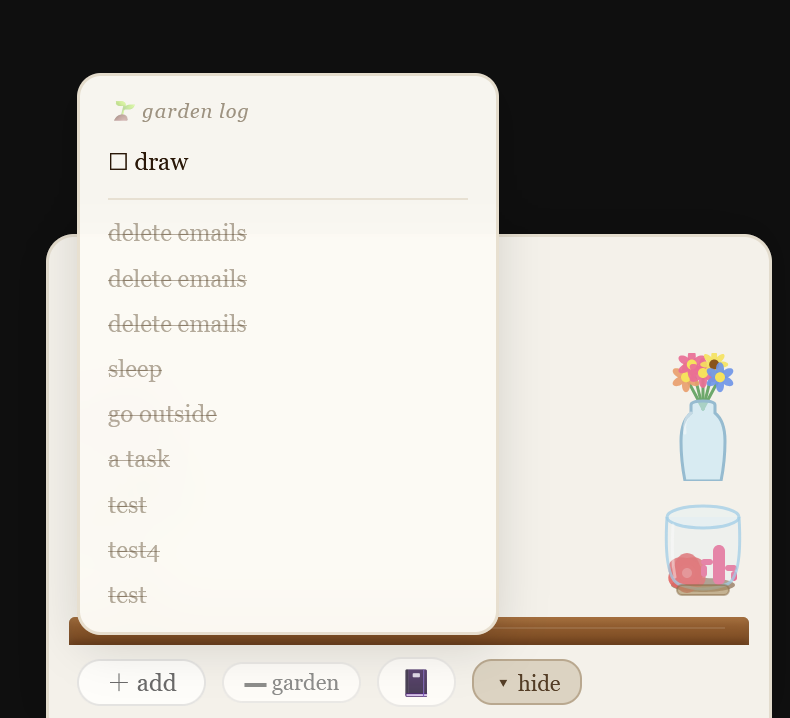
It was at this point that I finally cut the ‘terrarium’ and non-flower options in order to simplify what I was doing. I thought they were cute but it was just too many options. After adding some fun little surprises/easter eggs (like a surprise button), the overall look was at it’s first draft level, and I spent the next few hours deploying it to Vercel (and for some reason it took hours to get the ‘about’ button to work?) and getting it ready for a first public pass.
And here it is ~ Daisy Tasks!
I also started playing with the design of the flowers. Until now, I was using whatever Claude had made for me, but this is an opportunity for me to draw some fun flowers too! I’m using Adobe Fresco, which has a free vector option, and will work on updating those as time goes by, but I want to get this out there first and start seeing what people think!
Notes:
While this project was built using Claude Code, the writing is completely mine, and I hope to eventually replace all images with hand drawn (or at least Apple Pencil drawn) ones, and edit the code myself.
This is a very different project than most of my work, but it was fun to spend a few afternoons on and I’m glad I had the resources to build (test, repeat :D) a rough prototype so quickly!
I hope everyone will join me in donating to/volunteering with organizations like Water For People